> ## Documentation Index
> Fetch the complete documentation index at: https://support.telivy.com/llms.txt
> Use this file to discover all available pages before exploring further.
# ThreatLocker and Telivy Policy During Installation
> A Guide on How-to use Telivy with Threatlocker
## Using the Telivy Policy in Threatlocker
### Use the built-in policy that make Telivy installation easy
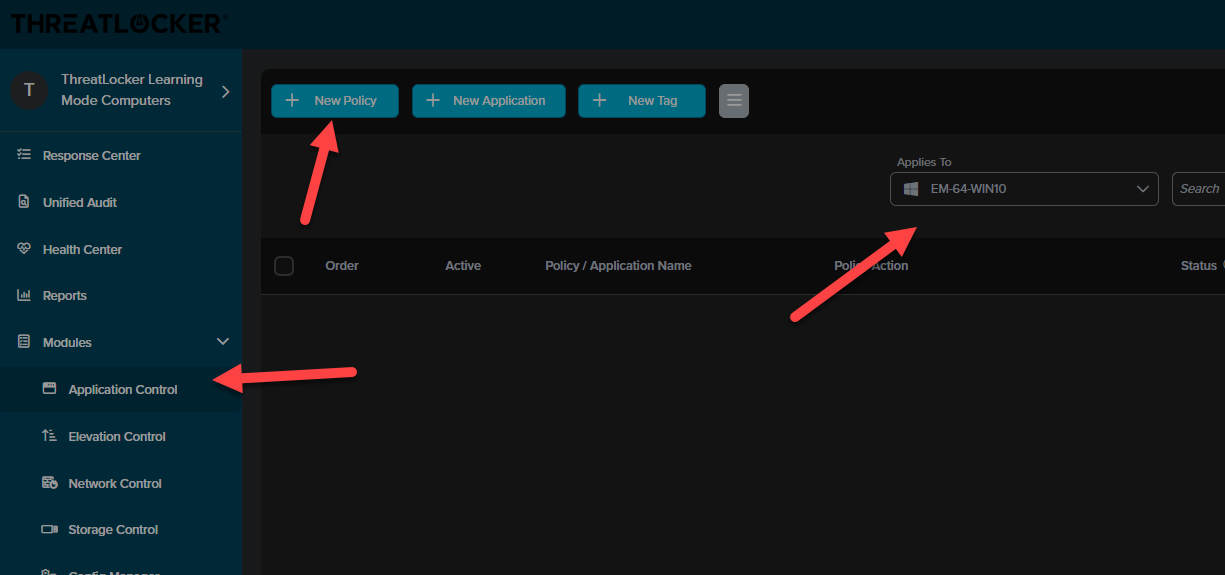
1. Click Application Control tab on the left - select applies to (can be any computer group or a single machine) - click on New Policy
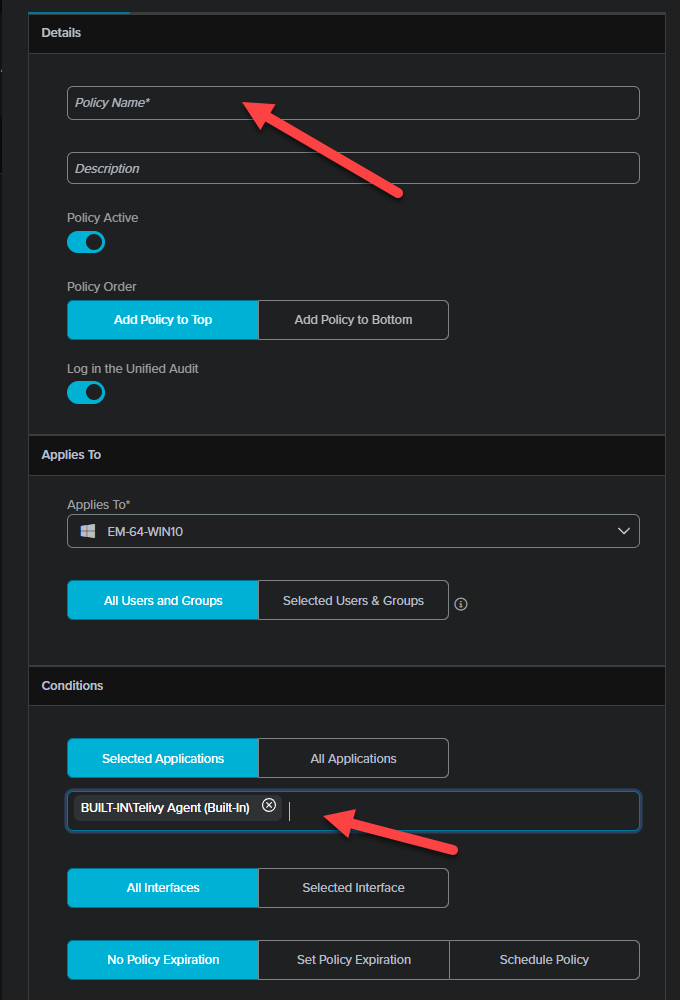
 2. Name the policy whatever you decide - type in Telivy in the box for selected applications and you will see Telivy Agent (built-in) populate. Select it, press Create at the bottom
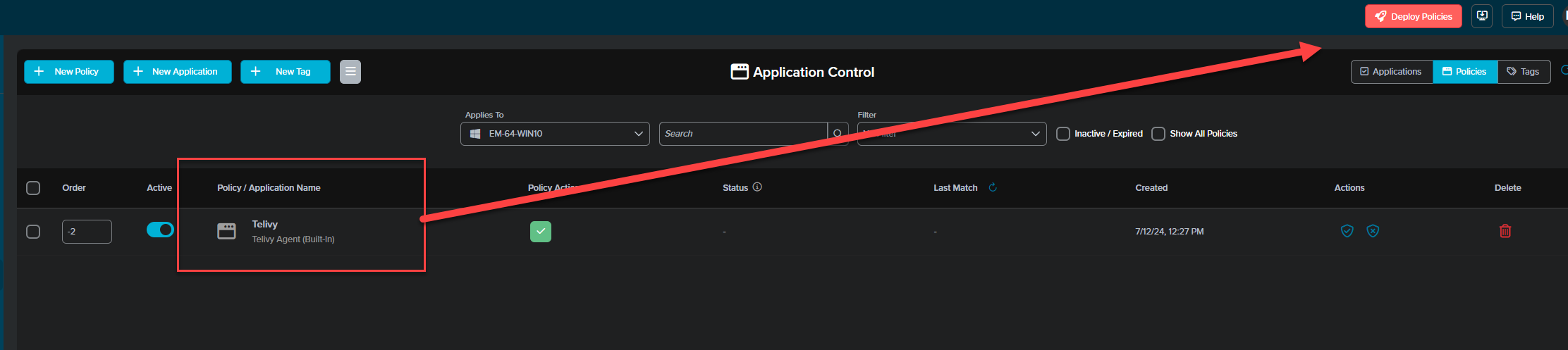
 3. Make sure to click Deploy policies at the top right corner
 If you have any other questions, please reach out to [support@telivy.com](mailto:support@telivy.com) or Threatlocker support.