> ## Documentation Index
> Fetch the complete documentation index at: https://support.telivy.com/llms.txt
> Use this file to discover all available pages before exploring further.
# Google Workspace Security
> Gain actionable Insights
## Configuration
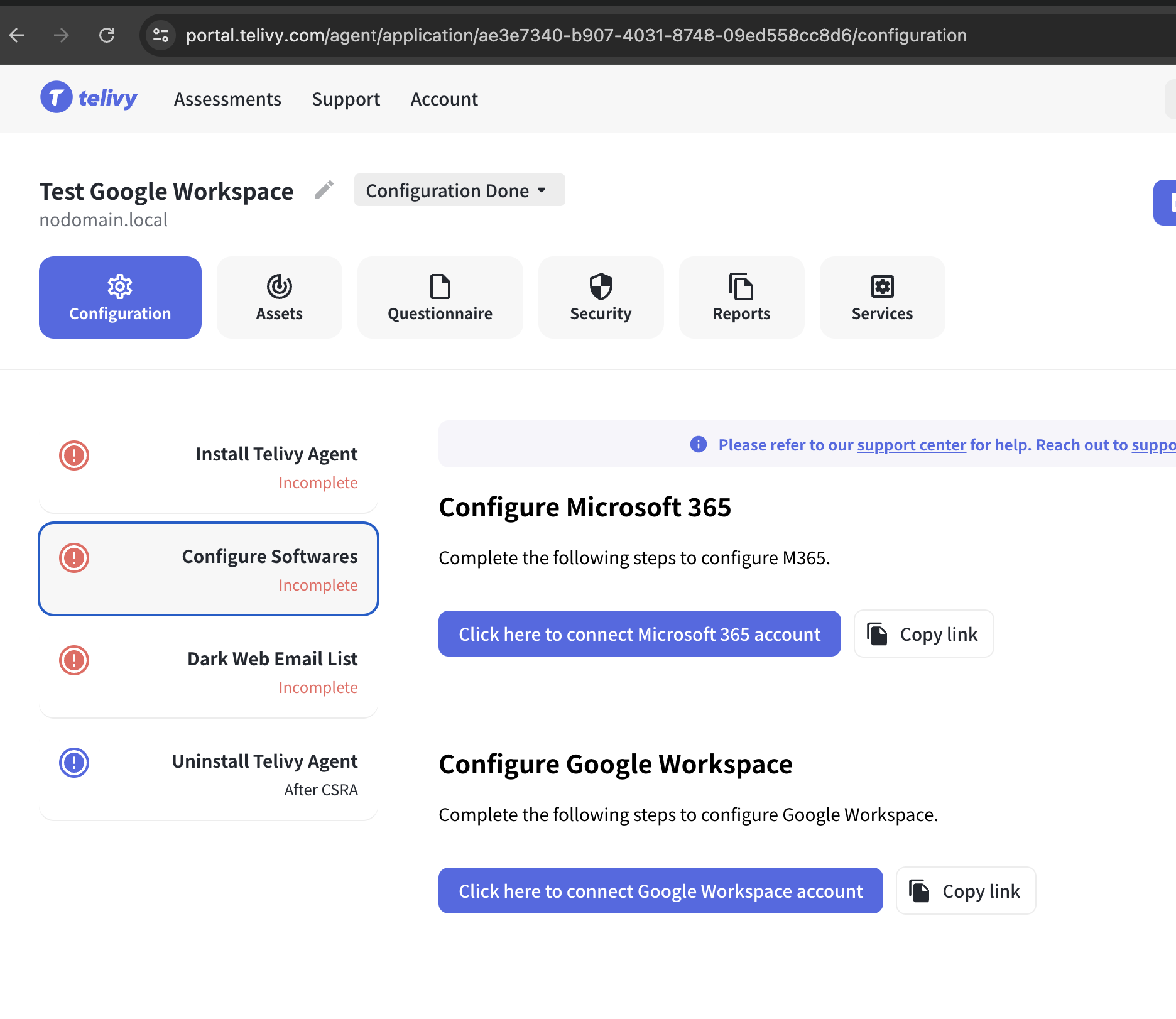
To configure the Google Workspace security, go to your Risk Assessment > Configuration > Configure Google Workspace and follow the steps to connect your Google admin account.
 Telivy empowers you to manage your Google Workspace security posture with insightful dashboards and reports.
## Account Status
Telivy displays the MFA status of all user accounts within your organization. This allows you to easily identify accounts without MFA enabled, a critical security control.
Verify existing user accounts in Google Workspace to ensure additional security.
Telivy empowers you to manage your Google Workspace security posture with insightful dashboards and reports.
## Account Status
Telivy displays the MFA status of all user accounts within your organization. This allows you to easily identify accounts without MFA enabled, a critical security control.
Verify existing user accounts in Google Workspace to ensure additional security.
