> ## Documentation Index
> Fetch the complete documentation index at: https://support.telivy.com/llms.txt
> Use this file to discover all available pages before exploring further.
# Microsoft 365 Security
> Gain actionable Insights
## Requirements
To get login and security data from M365, a Microsoft Entra ID P1 (NCE) license and Global admin is required. This license allows us to retrieve monitor login statistics like location and MFA status from Microsoft. This license comes with audit logging which enables us to monitor M365 security. Check out plans, cost, and features [here](https://www.microsoft.com/en-us/security/business/microsoft-entra-pricing).
## Configuration
To configure the M365 security, go to your Risk Assessment > Configuration > Configure Microsoft 365 and follow the steps to connect your M365 admin account. Make sure you have the required licenses as described in the previous sections.
 To refetch the data, you can refresh the data from Assets > Softwares > M365 Security and refetch the data as needed.
 Telivy empowers you to manage your Microsoft 365 security posture with insightful dashboards and reports. This article delves into three key areas where Telivy provides valuable support for M365 and how to configure the M365 section along with the requirements.
## M365 Security Score
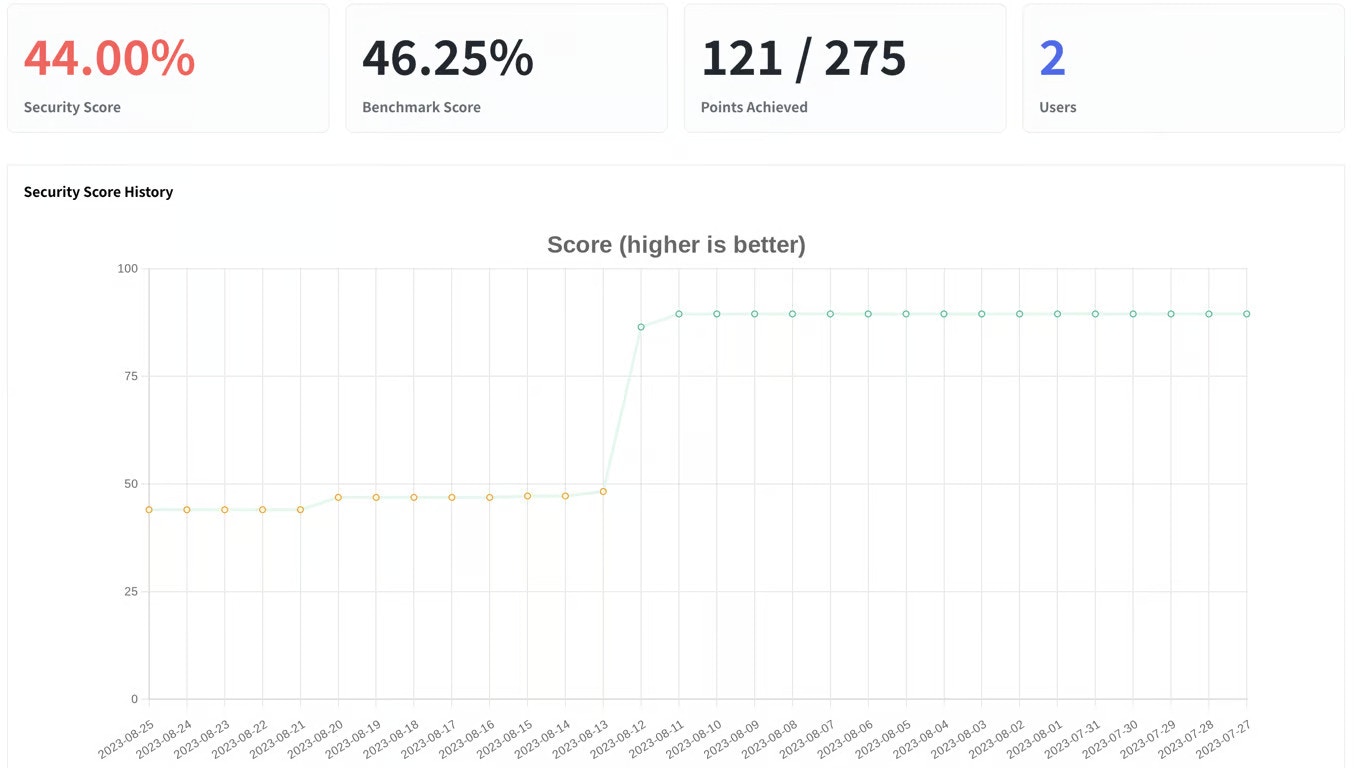
Telivy presents your M365 security score in a clear, actionable format. You'll see an overall score and detailed breakdowns for different security domains, a benchmark on how your peers are scoring helping you identify areas for improvement. The M365 security score is determined based on your M365 security configurations. The dashboard provides possible improvements to increase your score.
Monitor your security score over time to measure the effectiveness of your security efforts. Telivy helps you visualize trends and celebrate improvements.
Telivy empowers you to manage your Microsoft 365 security posture with insightful dashboards and reports. This article delves into three key areas where Telivy provides valuable support for M365 and how to configure the M365 section along with the requirements.
## M365 Security Score
Telivy presents your M365 security score in a clear, actionable format. You'll see an overall score and detailed breakdowns for different security domains, a benchmark on how your peers are scoring helping you identify areas for improvement. The M365 security score is determined based on your M365 security configurations. The dashboard provides possible improvements to increase your score.
Monitor your security score over time to measure the effectiveness of your security efforts. Telivy helps you visualize trends and celebrate improvements.
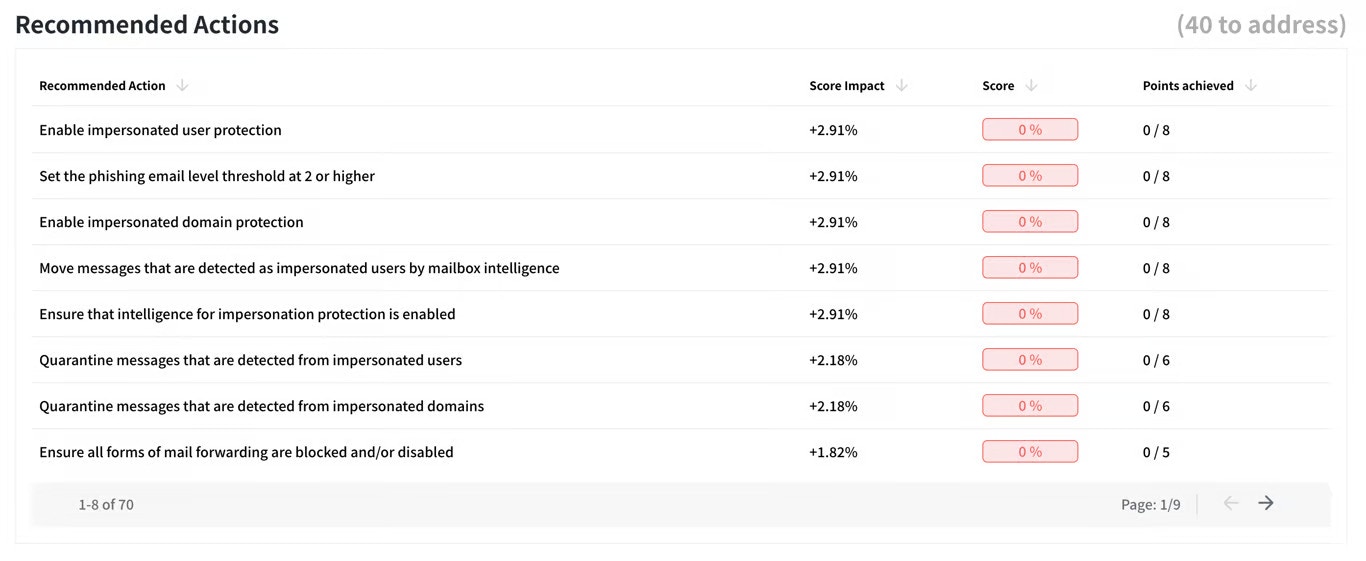
 Telivy goes beyond just showing your score. It provides specific recommendations tailored to your environment and the change in the score by completing those actions.
 ## Account Status
Telivy displays the MFA status of all user accounts within your organization. This allows you to easily identify accounts without MFA enabled, a critical security control.
Verify existing user accounts in M365 to ensure unauthorized.
## Account Status
Telivy displays the MFA status of all user accounts within your organization. This allows you to easily identify accounts without MFA enabled, a critical security control.
Verify existing user accounts in M365 to ensure unauthorized.
 ## Login Successes And Failures
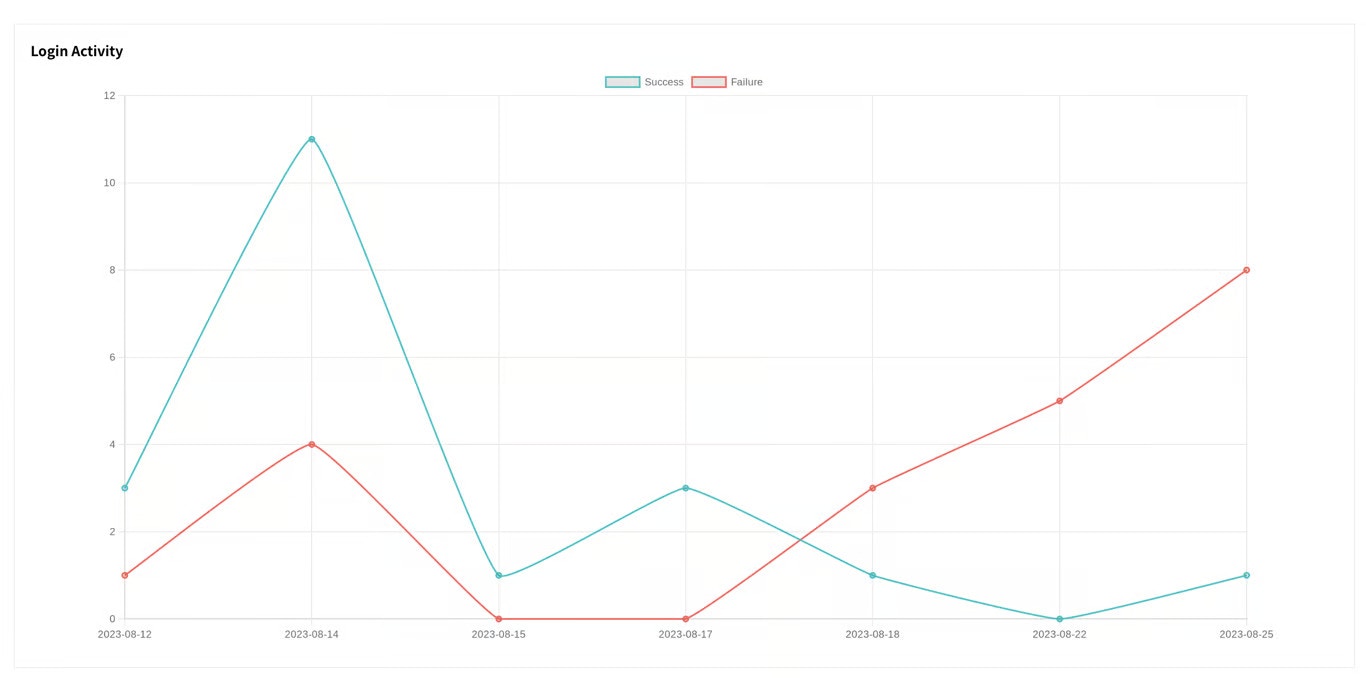
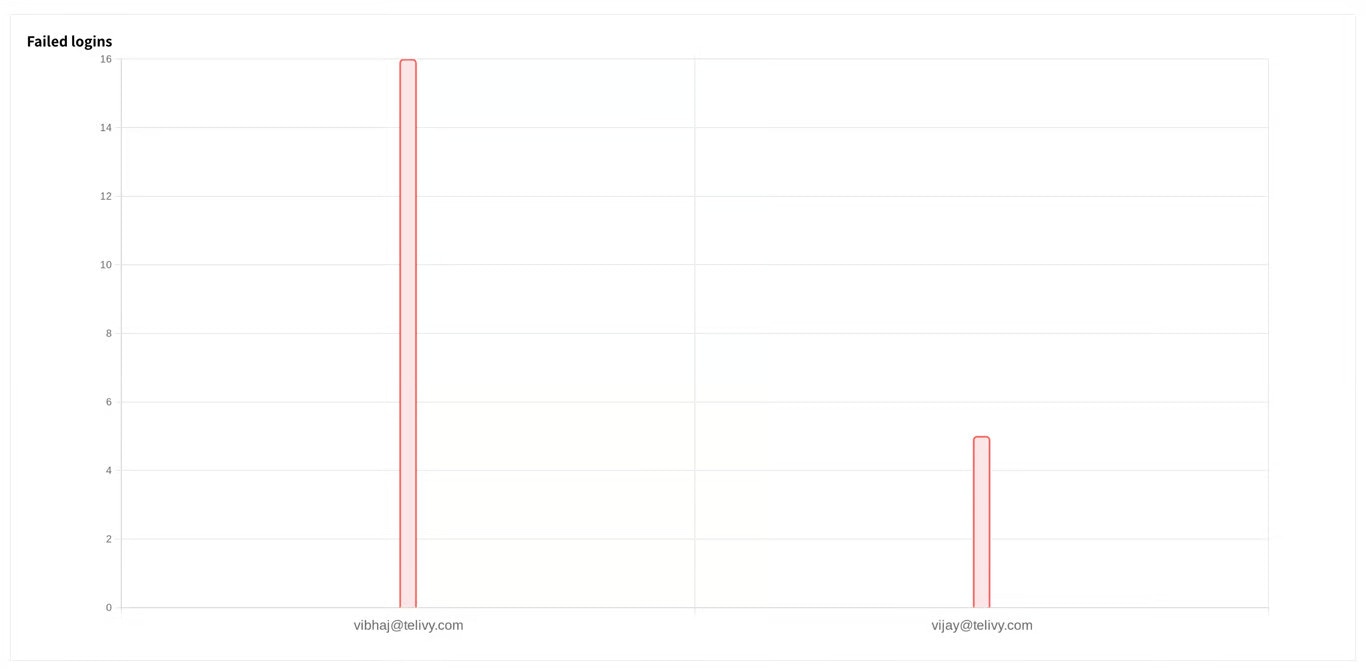
Telivy tracks login attempts for all user accounts, highlighting successful and failed logins. This helps you identify potential breaches or unauthorized access attempts.
## Login Successes And Failures
Telivy tracks login attempts for all user accounts, highlighting successful and failed logins. This helps you identify potential breaches or unauthorized access attempts.
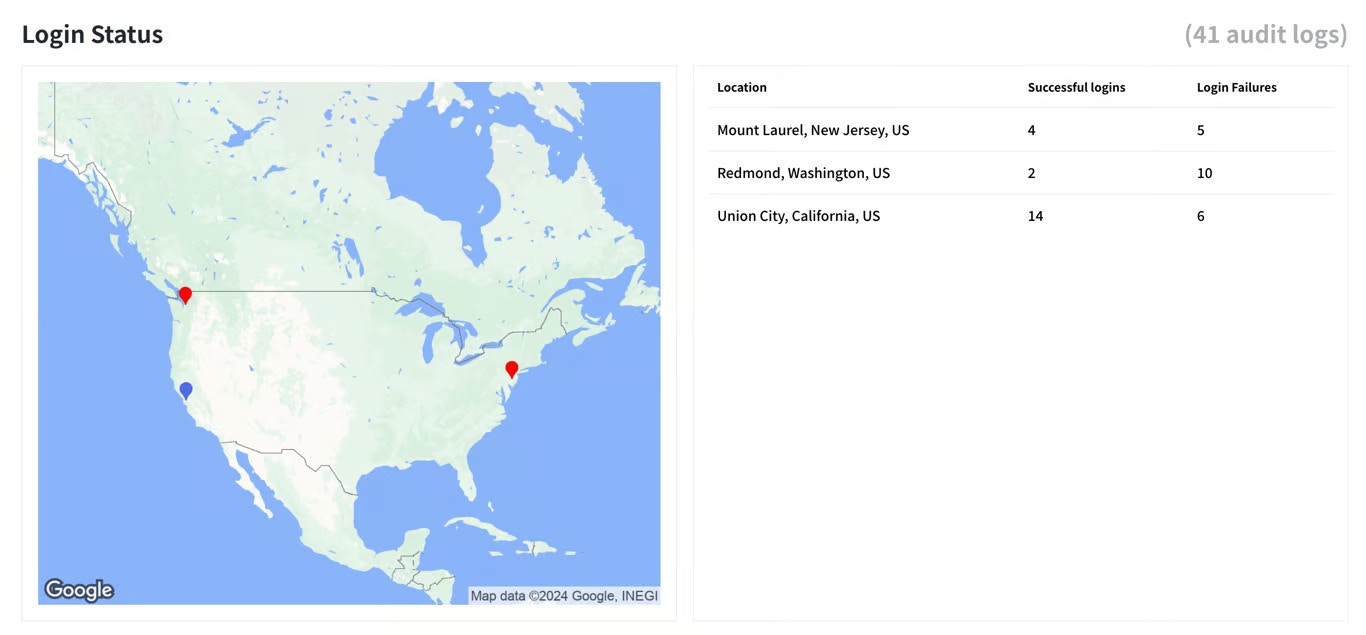 Telivy provides information for each login attempt for all user agents. This equips you to investigate suspicious activity thoroughly.