What changes a tenant's Secure Score
What changes a tenant's Secure Score
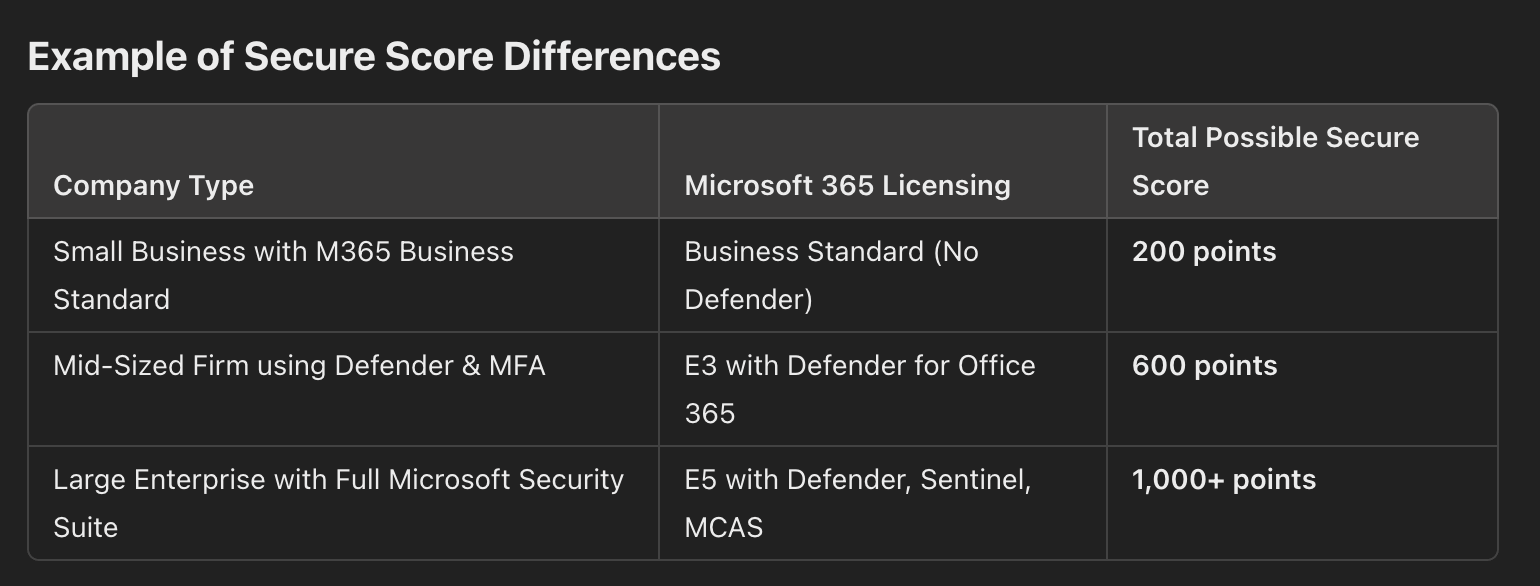
- Licensing and available features. Recommendations depend on the Microsoft 365 plan. E3 and E5 tenants have access to more security controls, such as Microsoft Defender for Endpoint, Conditional Access, data loss prevention, and threat protection, than Business Standard or Basic tenants. Features a tenant cannot use do not count toward its score.
- Controls already in place. A tenant that already follows security best practices starts higher than one with little configured. Microsoft only scores controls for services the tenant uses, so a client without Exchange Online, SharePoint, or Defender sees no controls for them.
- Size and configuration. More users, devices, and policies mean more controls in play. A 10-user business usually has a lower ceiling than a 1,000-user enterprise. Custom configurations that differ from Microsoft’s recommended defaults may not earn full points, even when they are strong.
- Third-party security tools. Microsoft does not always recognize protection from other vendors, such as CrowdStrike for endpoints or Okta for identity, so a well-protected tenant can still score lower. Tenants using Microsoft’s own tools, such as Defender for Identity or Microsoft Sentinel, tend to score higher.
- User behavior over time. The score drops when users turn off MFA, policies are weakened, or security settings are removed. If staff keep bypassing controls, for example by opting out of MFA, the score will not improve much even though the policies exist.
Why the maximum possible score differs
Why the maximum possible score differs
- Licensing. E5 and E3 tenants have more controls available, so their maximum is higher. Business Standard, Business Premium, and Basic tenants have fewer.
- Services in use. A tenant using SharePoint, OneDrive, Exchange, and Teams has more controls to implement than one that only uses Exchange Online and Defender.
- Microsoft versus third-party tools. Tenants using Microsoft’s security tools have more controls that can earn points. Controls enforced by third-party products earn none.
-
Size and complexity. Larger organizations with more users, devices, and workloads get more recommendations and a higher ceiling. A small company with a simple setup has fewer controls and a lower maximum.